The styles come from the NickStyler tool above. Your @username cannot use styles; this page only styles the Name field.
Author: Nickstyler · Last updated: 17 November 2026
Where a styled name works on Instagram
A styled nickname belongs in the Name field of your profile, not in your username. The Name appears in bold above your bio and accepts Unicode letters, symbols and emoji, while the @username is your handle and only takes plain letters, numbers, periods and underscores, so keep styles out of it. See how the styler builds letters for the Unicode behind each style.
| Field | Where people see it | Styled letters and symbols | What to put there |
|---|---|---|---|
| Name | Profile header, search results, suggested accounts | Accepted | Your styled nickname, one or two decorations |
| Username (@handle) | Profile link, mentions, tags, comments | Not accepted — letters, numbers, period and underscore only | A plain, easy-to-type version of your name |
| Bio | Under your name on the profile | Accepted, including line breaks | A short line about you, kaomoji, blank lines |
Instagram also limits how often you can change your Name within a short period, so try the style in the tool first and change the field once. The exact rules are in the Instagram Help Center under editing your profile.
Which letter styles keep their look (tested 09/2026)
Some styled letters are compatibility characters that systems fold back into plain letters, and every mathematical letter set uses two units per letter. The name Aditya is shown in eight styles below; the table shows which ones flatten, which keep their look, and how long each one really is.
| Style | Aditya | After NFKC | Result | UTF-16 units |
|---|---|---|---|---|
| Bold | Aditya | Flattened | 12 | |
| Bold script | Aditya | Flattened | 12 | |
| Bold fraktur | Aditya | Flattened | 12 | |
| Sans bold | Aditya | Flattened | 12 | |
| Full width | Aditya | Flattened | 6 | |
| Small caps | ᴀᴅɪᴛʏᴀ | Kept | 6 | |
| Cute letters | ꪖᦔꪱꪻꪗꪖ | Kept | 6 | |
| Tiny capitals | ADITyA | Partly flattened | 6 |
The check is Unicode NFKC normalization (ICU 73.2) and a count of UTF-16 units. Plain “Aditya” is 6 units. If a styled Name does not fit or turns back into plain letters after saving, switch to small caps or cute letters. Every letter set with its normalization result is listed in the nickname font style guide.
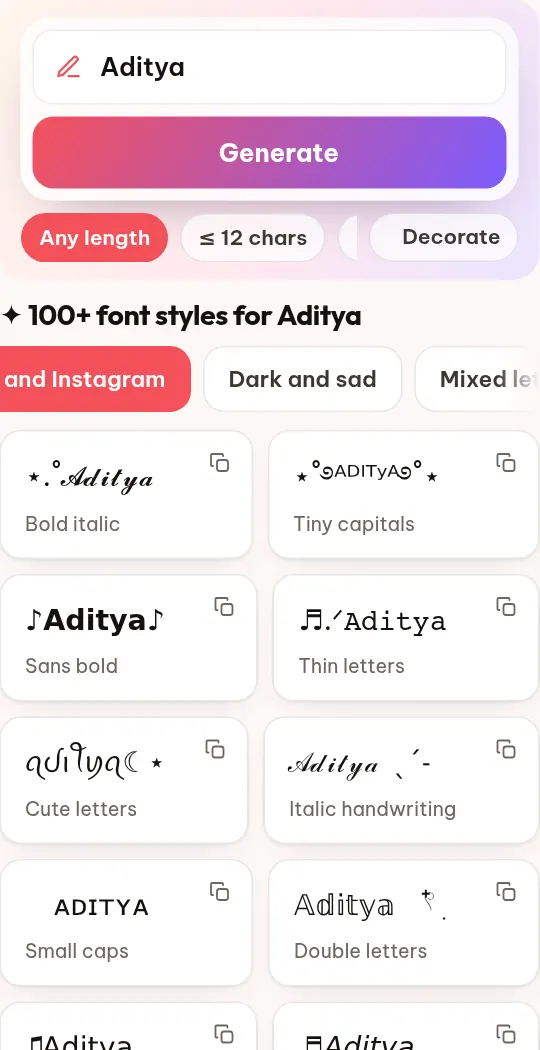
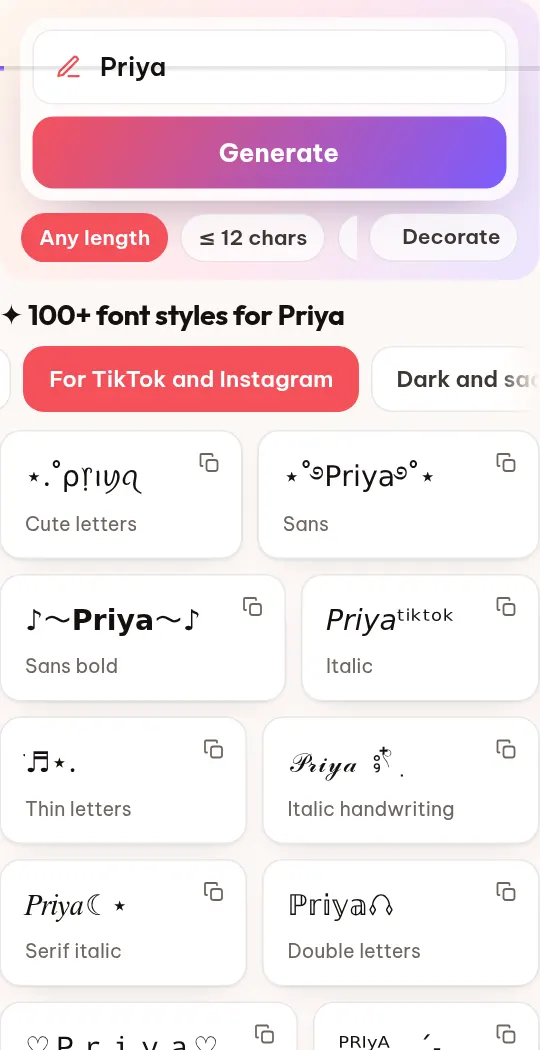
Styled name examples
Each example is a style the tool produces for Aditya, Shubham or Priya, with one decoration on each side. Tap to copy, or type your own name above to get the same styles for it.
Pair a styled Name with a username people can find
Keep the two names in step: the styled Name shows personality and the username repeats the same word in plain characters so people can find and tag you. When the plain version is taken, add a short meaningful suffix with a period or underscore instead of a long string of numbers. WhatsApp and Discord split names the same way; see the WhatsApp nickname style guide and the Discord nickname style guide.
| Styled Name | Matching username |
|---|---|
If your name mixes Arabic or Urdu letters with numbers, the digits can jump to the other side once the Name is displayed; see why an Arabic name shows its number in the wrong order for the one-character fix.
Keep your name readable on every phone
Use one decoration per side, keep the plain word in the username for search, and check your profile on another phone, because rare characters can show as empty boxes. Screen readers may read styled letters one by one, so a plain username keeps the profile understandable. The table above does not say that Instagram searches by styled name: search relies on the plain username, and the page does not promise that any style helps you rank. Something looks wrong on your phone? Use the contact page.
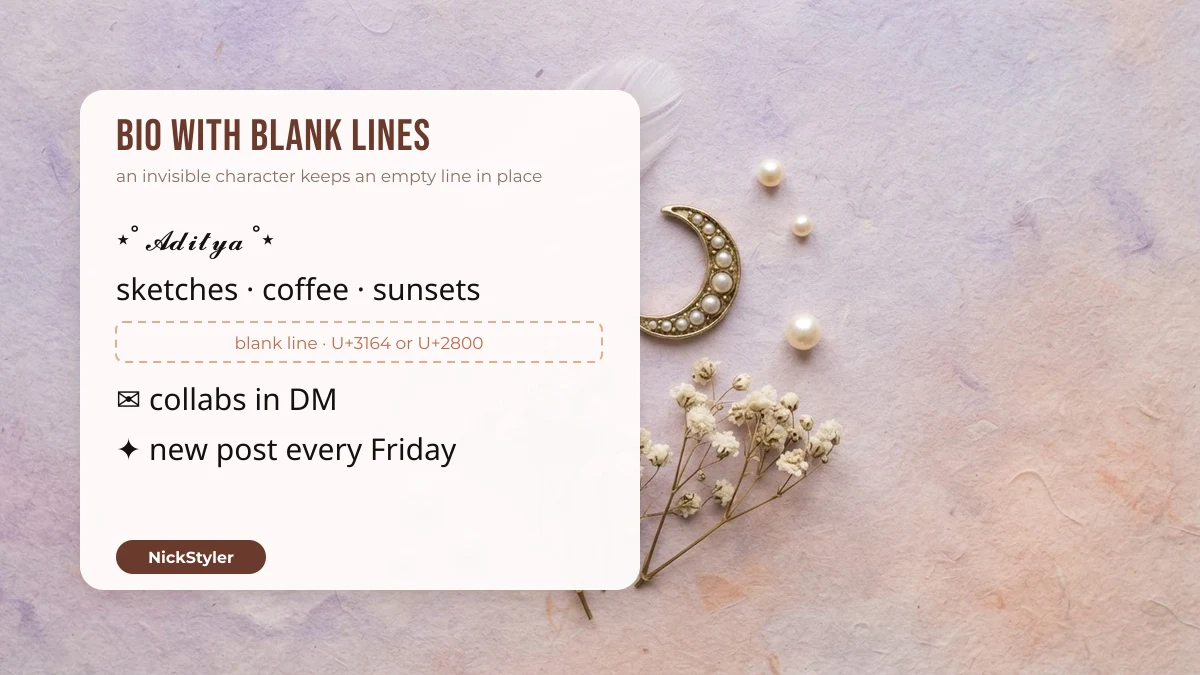
Blank lines in your bio
To keep an empty line in an Instagram bio, put an invisible character on that line instead of leaving it truly empty. Apps and websites that save profile text often remove empty lines and extra spaces; a line holding one blank-looking character is not empty, so it stays.
| Character | Code point | What it does | Copy |
|---|---|---|---|
| Hangul filler | U+3164 | Takes up space like a letter but shows nothing | |
| Braille blank | U+2800 | An empty Braille cell; displays as blank space | |
| No-break space | U+00A0 | A space that does not break the line; some systems convert it to a normal space |
- Write your bio in the Instagram app with a line break where you want the gap.
- On the empty line, paste one of the characters above.
- Save, then open your profile to check the spacing.
The spacing test on the NickStyler homepage shows why the no-break space is the least reliable of the three: normalization turns it into an ordinary space, which a form can then trim. Eleven blank characters are compared in the nickname space style guide.
Instagram is a trademark of Meta Platforms, Inc. NickStyler is not affiliated with Instagram or Meta.
Build your own version
Type your name or a word you like, pick a style and copy it straight into the game or app.
✨ Open the generatorWas this article helpful?
Your answer tells us what to improve next.
What should we improve?
Thanks — your feedback has been recorded. ✅